
How to Follow Up After a Trade Show: From Booth Conversation to Next Step
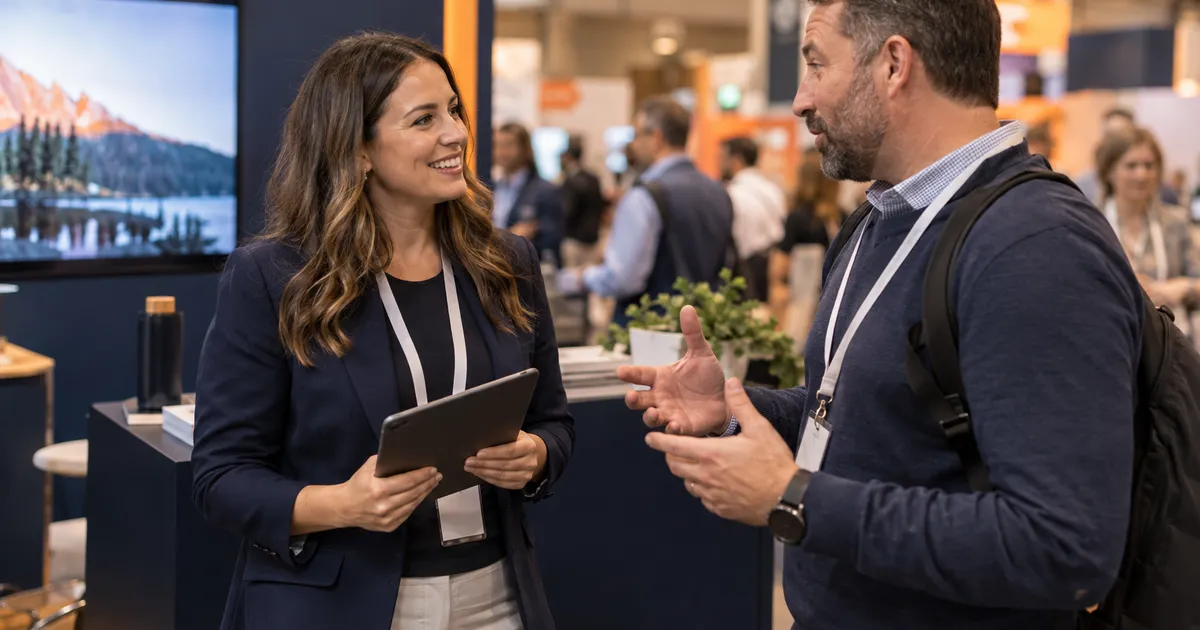
You invested in the booth, the travel, and the conversations. Here's how to organize event leads and build a follow-up process that keeps them moving.
By the PointWake Team
Published Sep 9, 2026 · 6 min read
A quick overview before the follow-up plan
This 27-second overview shows how booth contacts and event CSV imports connect to relevant follow-up and a clear next step. The guide below covers the process in more detail.
If you would rather have it built for you, see trade show lead follow-up or book a free 15-minute Discovery Call.
Read the full 27-second transcript
You paid for the booth, the travel, and the team.
Don't let those conversations end when the event does.
PointWake helps you capture booth contacts, or import your event CSV.
Then we build a follow-up system with relevant messages and a clear next step.
For conventions, conferences, trade shows, and expos.
Keep the conversation going. Book your free growth call at PointWake dot com.
The part that makes booth conversations useful
The booth comes down. The travel receipts pile up. Your team heads home with promising conversations, a stack of notes, and a spreadsheet of contacts.
Now comes the part that makes those conversations useful: following through.
Trade show lead follow-up needs a clear process for recording interest, delivering what you promised, and giving the right person responsibility for the next step. The same approach works for conventions, conferences, expos, industry summits, and networking events.
Here is a practical system you can adapt before your next event or use to organize the list you already brought home.
1. Decide what happens after someone leaves your booth
Before choosing a form or writing an email, choose the next action. Do you want a prospect to book a demonstration, request a quote, receive a guide, or speak with a specialist?
Different conversations may need different paths. Someone ready to discuss a project deserves a direct handoff. Someone gathering ideas may want useful information and a later check-in.
Write down who owns each path. If two team members both assume the other person will follow up, even an interested contact can sit untouched.
2. Capture enough context to continue the conversation
A name and email address tell you how to reach someone. They rarely tell you what to say.
Keep the capture process short enough to use during a busy event. Useful fields include name, company, and contact details; event name and date; the product, service, or problem discussed; what the visitor requested; timing and agreed next step; the responsible team member; and communication preferences and permission information.
A QR code linking to a form, a tablet at the booth, or a team member entering a short note can all support the process. Pick the method your team will consistently use, then test it before the doors open.
3. Prepare the convention CSV before starting a sequence
An event export is useful, but the first step is reviewing it.
Check which fields are present, map them to the right contact fields, and look for duplicate records. Preserve the event source so you can tell where each person came from later. Keep an original copy of the export in case you need to review a mapping decision.
Separate people who spoke with your team from a broader attendee list. Do not write “great meeting you” to someone you never met. Review the source and permissions before choosing a communication channel or enrolling contacts in outreach.
Importing data and deciding who should receive a sequence are two separate steps in the workflow.
4. Group leads by the next action they need
Avoid making every visitor run through the same script. Start with a few groups your team can explain:
Ready for a conversation: They requested a quote, demonstration, or meeting. Assign an owner and act on that request.
Interested, with a later timeline: They described a need but are not ready to act. Send relevant information and record when to reconnect.
Requested a resource: Deliver the guide, specifications, or other material they asked for. Make the next invitation fit that request.
Needs review: The record lacks context or has unclear communication permissions. Resolve that before enrolling it.
These groups should change when someone replies. A contact who asks for a meeting should move out of the general nurture sequence.
5. Use a follow-up sequence that sounds like a conversation
The cadence below is an example to adapt, not a universal timetable. Prioritize any time you specifically agreed with the person, use suitable business hours, and stop the sequence when a reply or another action calls for a human response.
First message: deliver what you promised. Send it promptly after the conversation or at the agreed time.
Subject: The information you asked for at [Event]
Hi [First name], it was good talking with you about [specific topic] at [Event]. Here's the [resource] you asked for: [link]. You mentioned [need or timing]. Would [relevant next step] be helpful?
A few days later: make the next step easier.
Hi [First name], one detail that may help with [topic] is [useful, accurate point]. If you'd like to talk through how this could fit [company], here's a way to book a conversation: [link].
About a week later: ask one useful question.
Hi [First name], are you still exploring [topic], or has your timing changed? Either way, I can point you toward the right next step.
Around two weeks later: close the loop respectfully.
Hi [First name], I'll leave this with you for now. If [topic] becomes a priority, reply here and we can pick up the conversation. Thanks again for your interest.
Use event-specific wording only where it is true. Replace every placeholder, keep the tone natural, and give the recipient one clear action per message.
6. Automate the reminders and protect the handoff
A useful automation should help your team notice and act on the conversation. Set the trigger, the responsible person, the timing, and the exit conditions before activating it.
Pause or change general follow-up when someone replies, books, declines, or opts out. Route replies to someone who can help. Test sample contacts through the entire path, including a duplicate import and a reply arriving before the next scheduled message.
If your team cannot quickly see the most recent conversation and next task, simplify the workflow before adding more messages.
7. Measure the progress after the event
Review more than the number of contacts collected. Track usable records, follow-ups completed, replies, meetings, qualified opportunities, and eventual wins. Keep definitions consistent from event to event.
Compare results with the full event investment, including the booth, travel, materials, and staff time. Record both won business and open opportunities so an active deal is not mistaken for completed revenue.
The review should tell you what to change: the capture form, qualification questions, handoff, message, or next action.
Common questions about event follow-up
How soon should I follow up after a trade show? Honor the timing you agreed to. Otherwise, aim to send the promised information while the conversation is fresh, using appropriate business hours.
Can I automate follow-up from a convention CSV? Yes, after reviewing the source, available fields, duplicates, and communication permissions. Organize eligible contacts by interest and next step before enrolling them.
What should happen when a lead replies? Pause or change the general sequence and route the reply to the responsible person. The next message should reflect the actual conversation.
Build the follow-up before your next event
PointWake helps businesses connect event lead capture, raw convention CSV imports, and automated follow-up sequences. We can start with your upcoming booth plans or review the contacts you already have.
Explore our trade show lead follow-up service or book a free 15-minute Discovery Call to talk through the setup your team needs.